
If you’re like me, when you first ran into Vuex, you probably wondered “How the heck does this work?” It’s not immediately obvious how these types of state management systems work, especially if you come from an SQL background. And do I even need it? In fact, the Vuex documentation has a quote that sums it up pretty well:
Flux libraries are like glasses: you’ll know when you need them.
- Dan Abramov
Flux, Vuex, Mobx…what are all these “x"es about? Well, at some point the fuzziness of my data became too much and I realized I needed some Vuex glasses. So, I headed over to Vuex site to see what all the hullabaloo was about.
Maybe it’s me, maybe I’m just getting old, but that site did not do a great job of explaining how the heck Vuex worked. It seemed very complex and fiddly and I really didn’t want to use it. All of those Core Concepts and Application Structure and ugh.
Thankfully, I dove into it more and found that it wasn’t all that complex after all. I just needed to break it down in a napkin sketch.
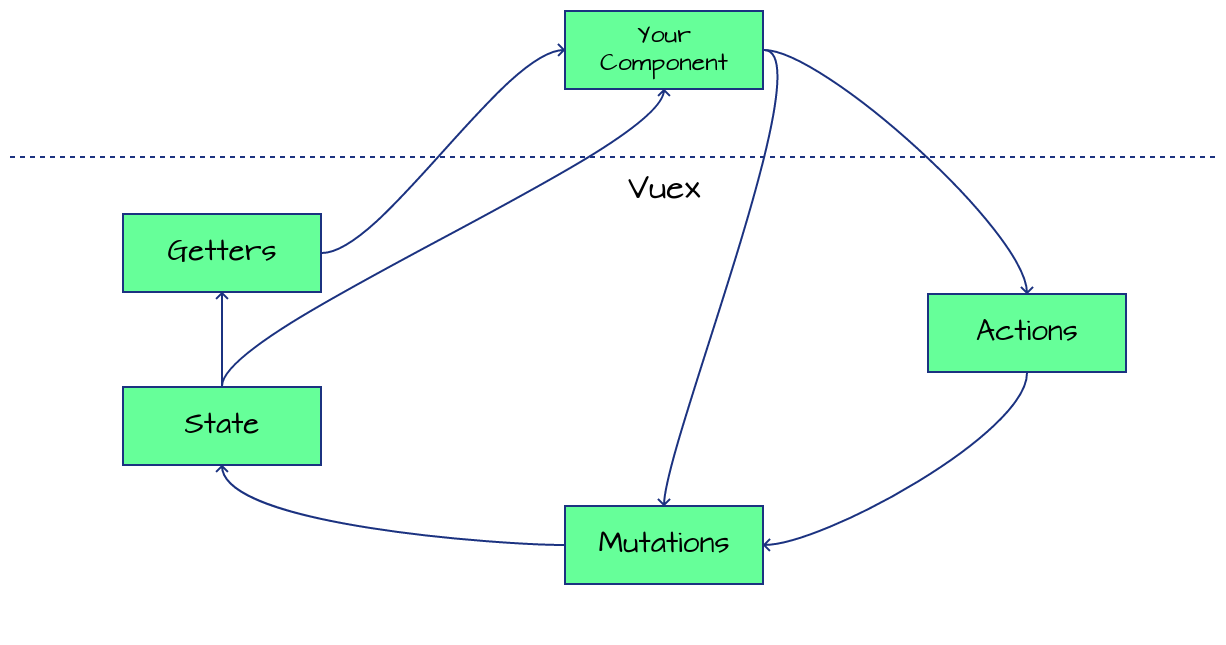
Tada! Clear as mud!
Maybe I should break this down a little more.
Vuex is a way to keep all your data in one place#
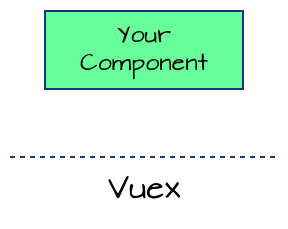
Fundamentally, that’s all Vuex is. This is called having a “source of truth” for your application. Your components will connect to Vuex to access the shared data that lives there. But how exactly does that work?
Data is kept in the State#
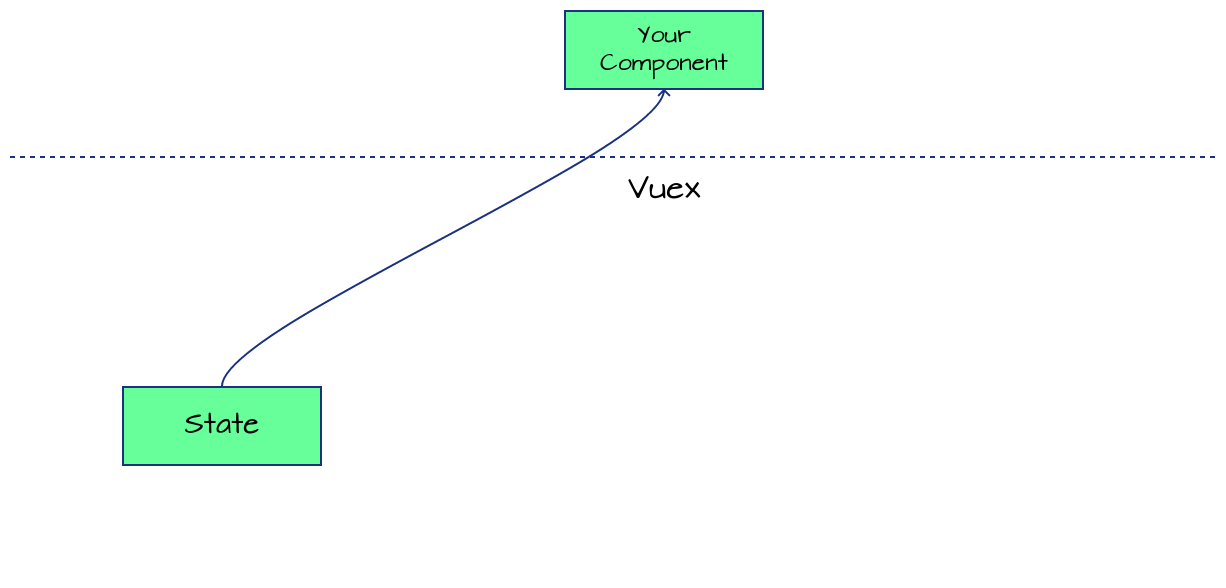
The data is kept in the state of the Vuex data store. Your component can read that data and, since it’s reactive, update itself when the data in the state updates. Every component in the application is listening to this same state, so everyone stays in-sync.
Data is changed via Mutations#
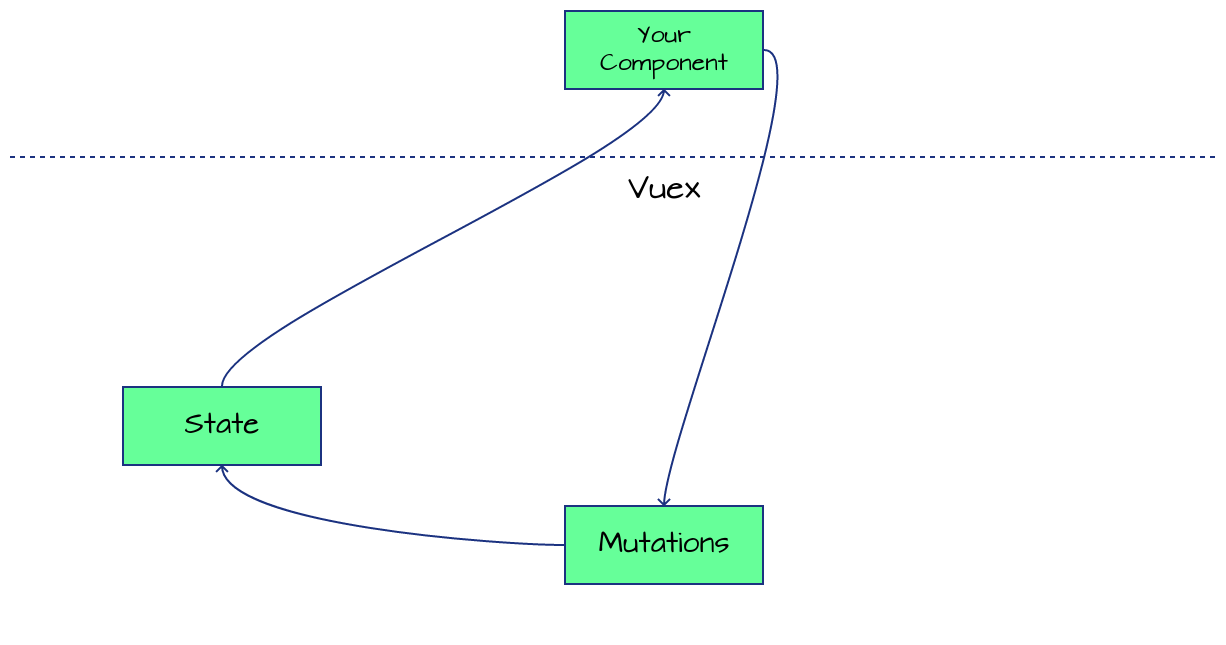
Now that the data is in there, you can just directly update it, right?
NO.
One of the important concepts about Vuex is that you should not be changing the state directly. It should only be changed through a mutation. All state changes will happen through mutations. Always. Just remember that and you’ll be fine.
Also, mutations should be very simple, taking data and setting it in the state and that’s it. Anything with any more logic than that will go into actions, as you’ll see next.
Why do you only change
statethroughmutations?#Go check out my article on Why should you always use mutations in Vuex. You’ll see some of my thoughts on mutations over there.
Logic operations related to the data live in Actions#
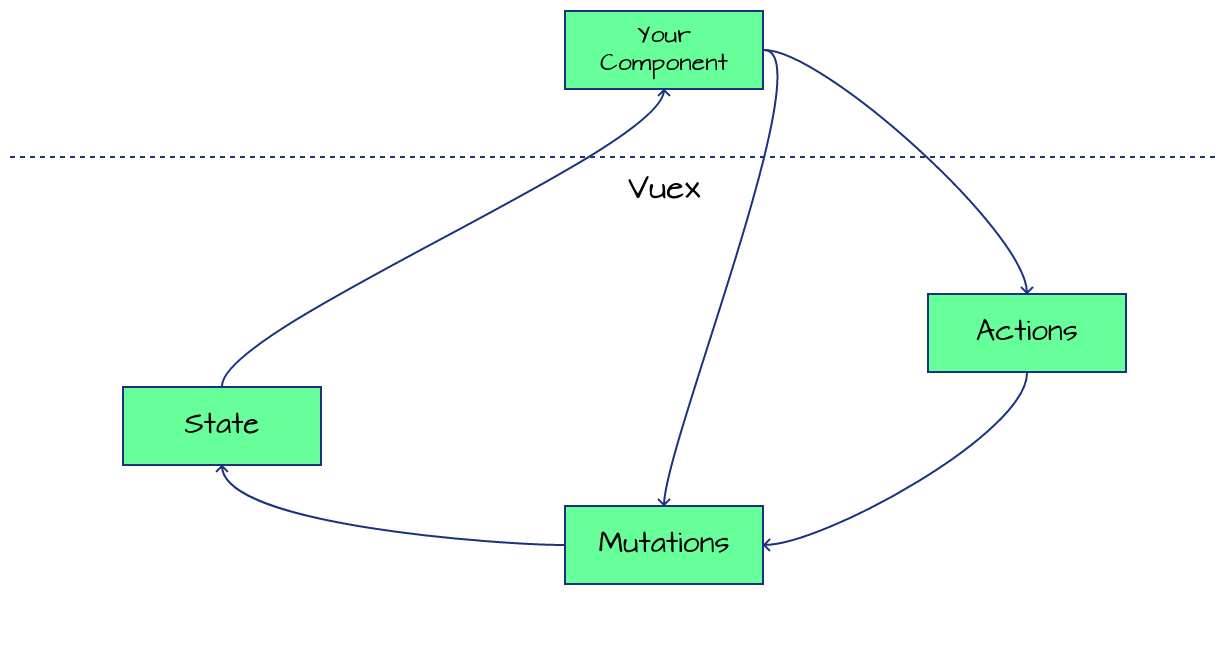
Sometimes there might be logic operations that relate to the data, like an AJAX call that pulls data into the application or a generator that creates new GUIDs. That shouldn’t live in a specific component, it’s a data operation so it should be with the data. That’s what the actions are for.
Anything that would be long running should live in an action. Actions, again, never update the state, but they can call mutations that update the state.
Getters are for common filters and formatters for the data#
Getters are used much like computed properties in Vue components, it’s a way to have filtered or formatted data from the state that any component can connect to. Instead of having a computed property in each component, you can create a new getter that components can share and will update when the state updates.
There is the question of should you always use getters when accessing state that I answered recently too. Check that out if you ever wondered that.
So really, just another way of accessing state (but never updating it!).
Hopefully this gives you a better handle on what Vuex is doing if you were struggling with it before. I know it helped me.